 LiveCaptureInteractive
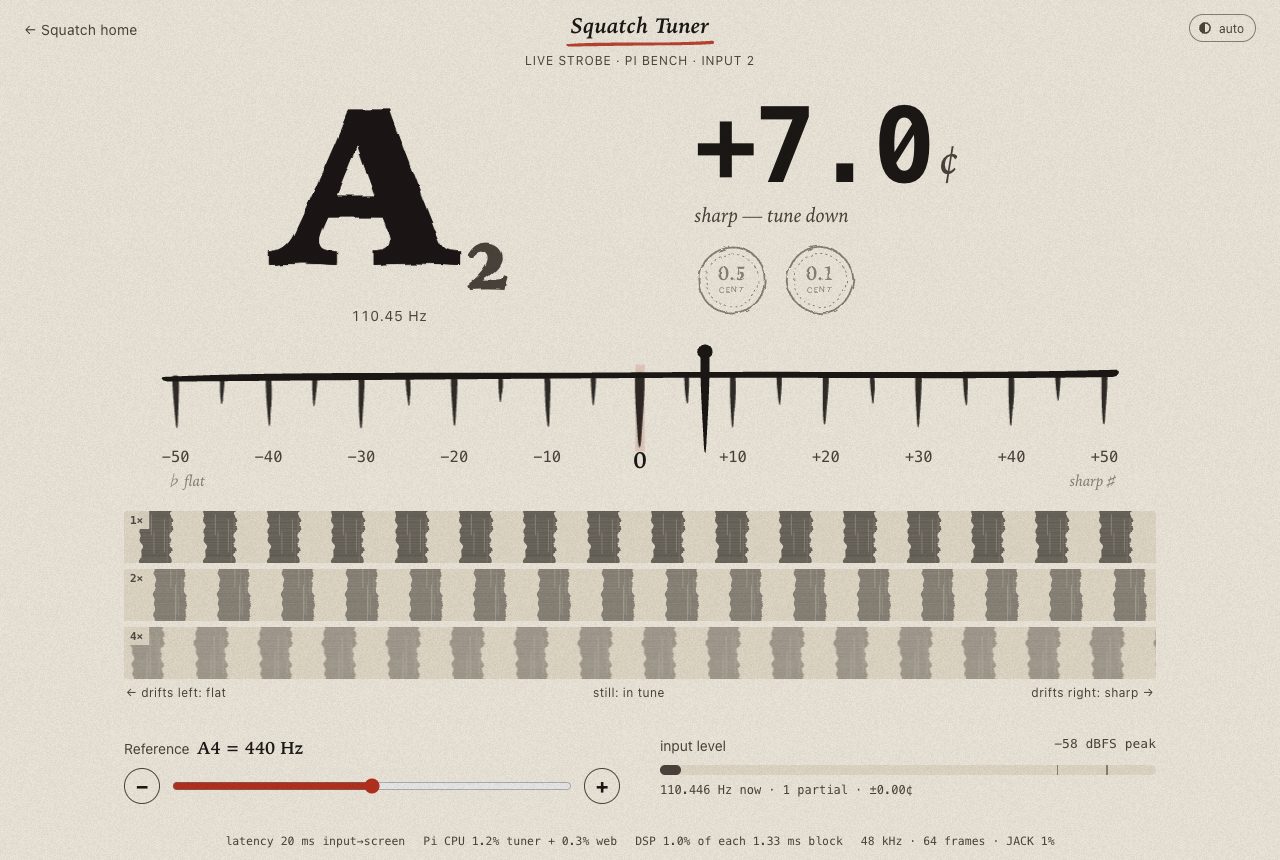
The tuner locks in 44 ms.
A guitar tuner for your browser and the pedal.
Sound
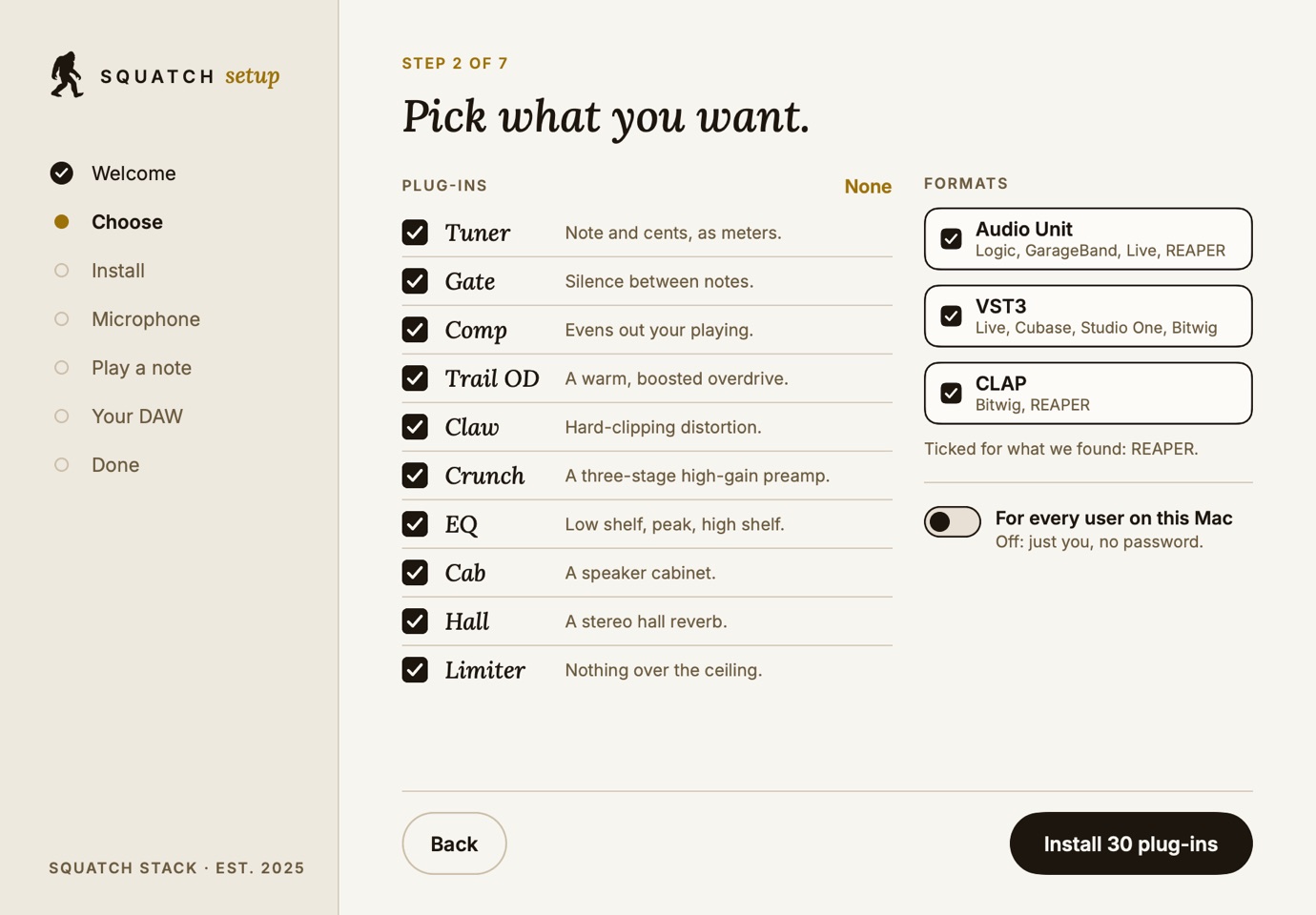
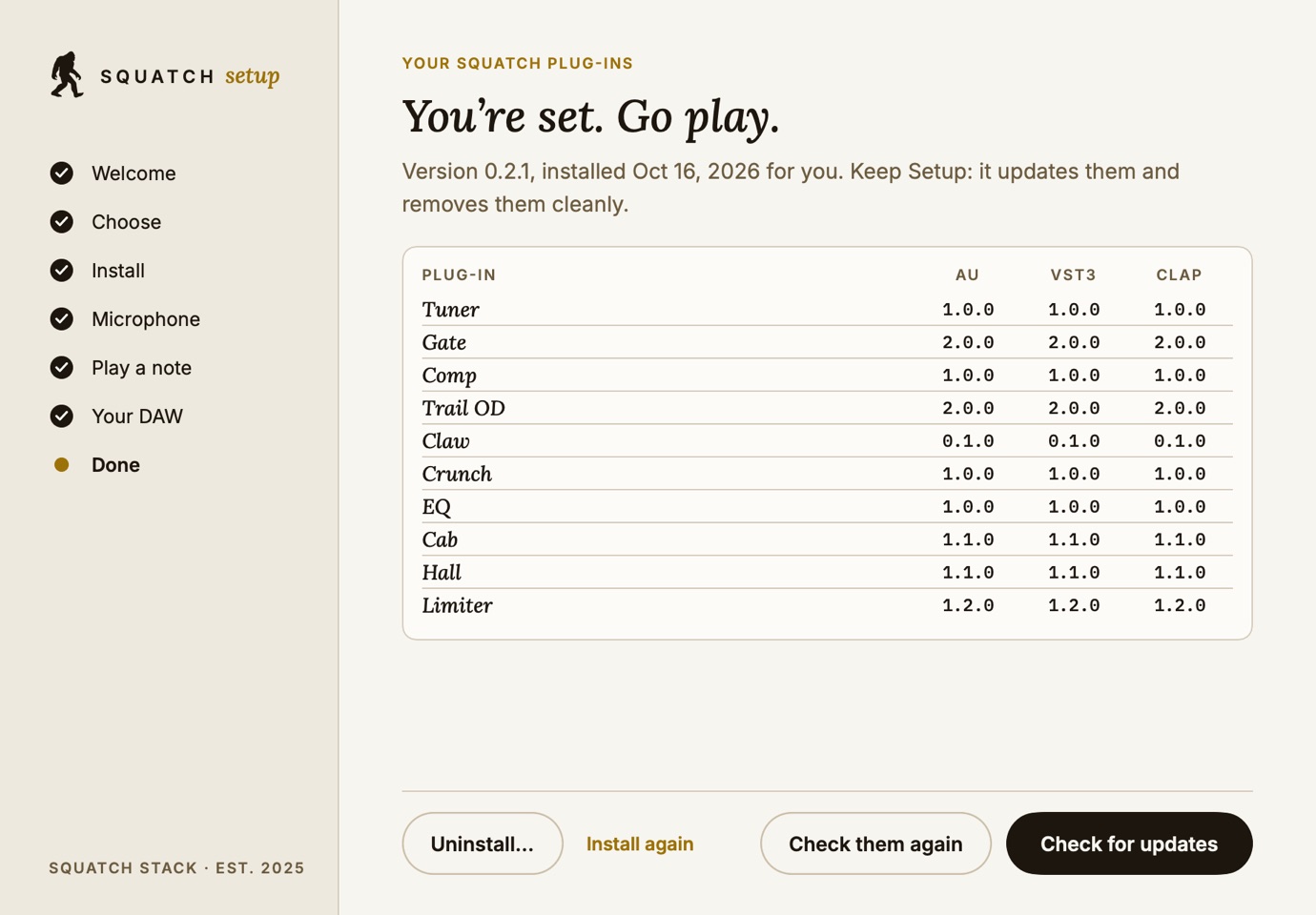
Ten effects for your DAW, as Audio Unit, VST3 and CLAP.
 Capture
A tuner, a gate, a compressor, three drives, an EQ, a cabinet, a hall and a limiter, from the same engine as the browser rig.
Players and producers who want our pedals in their DAW.
So the sound you try in the browser is the sound you record.
Every bundle is signed by us and notarized by Apple. All 10 Audio Units pass auval, the CLAP builds pass 35 checks with 0 failed, and the VST3 builds pass 537 tests with 0 failed.
How it works
Screens
Get it
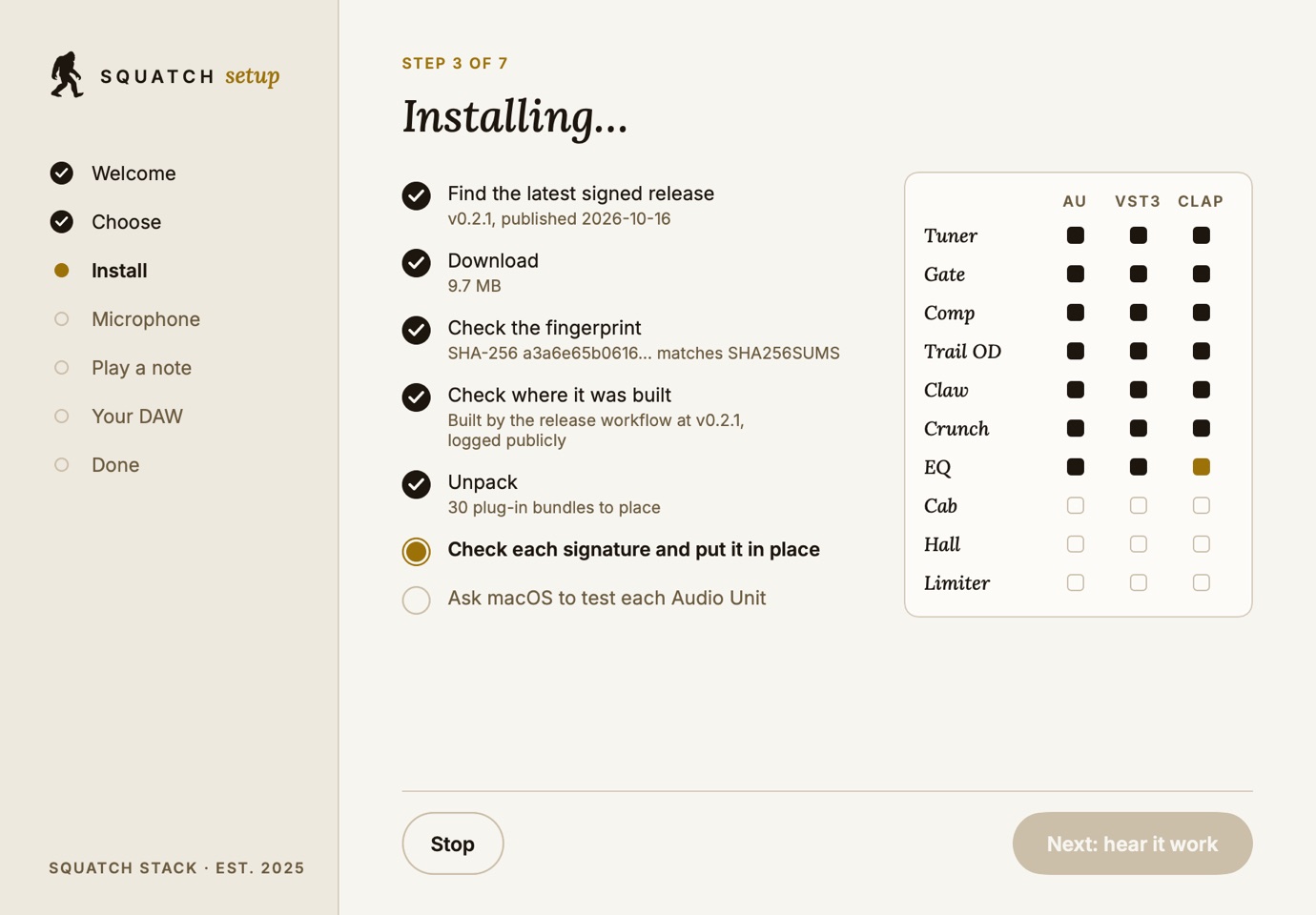
The easy way: it puts the plug-ins in your own folder with no password, checks every signature, then listens while you play a note.
SHA-256 f8fd9a85bbed70ed306f43268514c26929136e60305a36a361d60eb59e8fcd69
All ten, in all three formats, for every user of this Mac. Apple's Installer asks for an administrator password.
SHA-256 aef521fe5e91692cb194cbccfe7d993b077c5d132ec7cecc415bed7b6cdf346e
The same signed bundles, to copy into your own plug-in folders by hand: no password needed.
SHA-256 13a671ae7ccf872790e90bf3501c6998922c88a9b03233072c8cfb55fac9cb52
Check your download
Three lines in Terminal. Each one checks something different, and none of them needs to trust this page.
shasum -a 256 ~/Downloads/squatch-dsp-plugins-v0.2.2-macos.pkggh attestation verify ~/Downloads/squatch-dsp-plugins-v0.2.2-macos.pkg -R Squatch-Stack/squatch-dspspctl -a -vv -t install ~/Downloads/squatch-dsp-plugins-v0.2.2-macos.pkgInstall guides
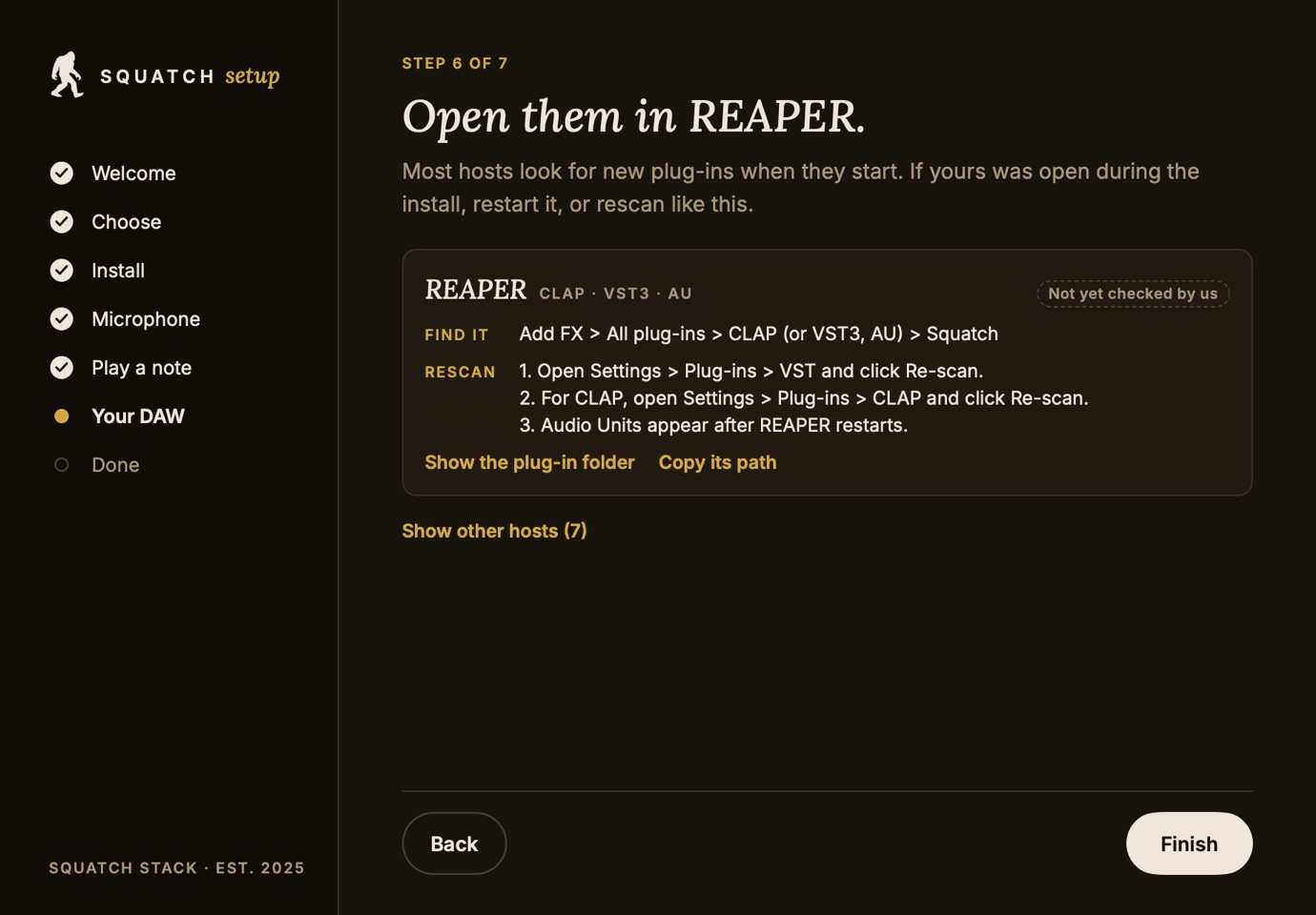
Most hosts look for new plug-ins when they start. If yours was open while you installed, restart it, or rescan. Each guide says how sure we are of its steps.
Find it Audio FX > Audio Units > Squatch Stack
Rescan
Logic loads Audio Units only.
Find it Browser > Plug-ins > VST3 (or Audio Units) > Squatch Stack
Rescan
Find it Add FX > All plug-ins > CLAP (or VST3, AU) > Squatch
Rescan
Find it Browser > Devices > Squatch Stack
Rescan
Find it Smart Controls > Plug-ins > Audio Units > Squatch Stack
Rescan
GarageBand loads Audio Units only.
Find it Browser > Effects > Squatch Stack
Rescan
Find it Insert effects > Squatch Stack
Rescan
Cubase loads VST3 only.
Find it Plugin database > Effects > Squatch
Rescan
If something is off
Restart the host, then use its rescan step above. For Logic and GarageBand, run this in Terminal; it should end with AU VALIDATION SUCCEEDED: auval -v aufx SqTn SqSt (that one is the Tuner).
Open Plug-in Manager, select it and click Reset & Rescan Selection. If it still fails, restart your Mac and try again, then write to us with what auval prints.
Each plug-in is one bundle in your plug-in folders (or the same paths under /Library, if you used the installer). Move these to the Trash, then restart your host:
~/Library/Audio/Plug-Ins/Components/Squatch Tuner.component
~/Library/Audio/Plug-Ins/Components/Squatch Gate.component
~/Library/Audio/Plug-Ins/Components/Squatch Comp.component
~/Library/Audio/Plug-Ins/Components/Squatch Trail OD.component
~/Library/Audio/Plug-Ins/Components/Squatch Claw.component
~/Library/Audio/Plug-Ins/Components/Squatch Crunch.component
~/Library/Audio/Plug-Ins/Components/Squatch EQ.component
~/Library/Audio/Plug-Ins/Components/Squatch Cab.component
~/Library/Audio/Plug-Ins/Components/Squatch Hall.component
~/Library/Audio/Plug-Ins/Components/Squatch Limiter.component
~/Library/Audio/Plug-Ins/VST3/Squatch Tuner.vst3
~/Library/Audio/Plug-Ins/VST3/Squatch Gate.vst3
~/Library/Audio/Plug-Ins/VST3/Squatch Comp.vst3
~/Library/Audio/Plug-Ins/VST3/Squatch Trail OD.vst3
~/Library/Audio/Plug-Ins/VST3/Squatch Claw.vst3
~/Library/Audio/Plug-Ins/VST3/Squatch Crunch.vst3
~/Library/Audio/Plug-Ins/VST3/Squatch EQ.vst3
~/Library/Audio/Plug-Ins/VST3/Squatch Cab.vst3
~/Library/Audio/Plug-Ins/VST3/Squatch Hall.vst3
~/Library/Audio/Plug-Ins/VST3/Squatch Limiter.vst3
~/Library/Audio/Plug-Ins/CLAP/Squatch Tuner.clap
~/Library/Audio/Plug-Ins/CLAP/Squatch Gate.clap
~/Library/Audio/Plug-Ins/CLAP/Squatch Comp.clap
~/Library/Audio/Plug-Ins/CLAP/Squatch Trail OD.clap
~/Library/Audio/Plug-Ins/CLAP/Squatch Claw.clap
~/Library/Audio/Plug-Ins/CLAP/Squatch Crunch.clap
~/Library/Audio/Plug-Ins/CLAP/Squatch EQ.clap
~/Library/Audio/Plug-Ins/CLAP/Squatch Cab.clap
~/Library/Audio/Plug-Ins/CLAP/Squatch Hall.clap
~/Library/Audio/Plug-Ins/CLAP/Squatch Limiter.clap
Technologies used
More work
LiveCaptureInteractiveA guitar tuner for your browser and the pedal.
 MeasuredCaptureInteractive
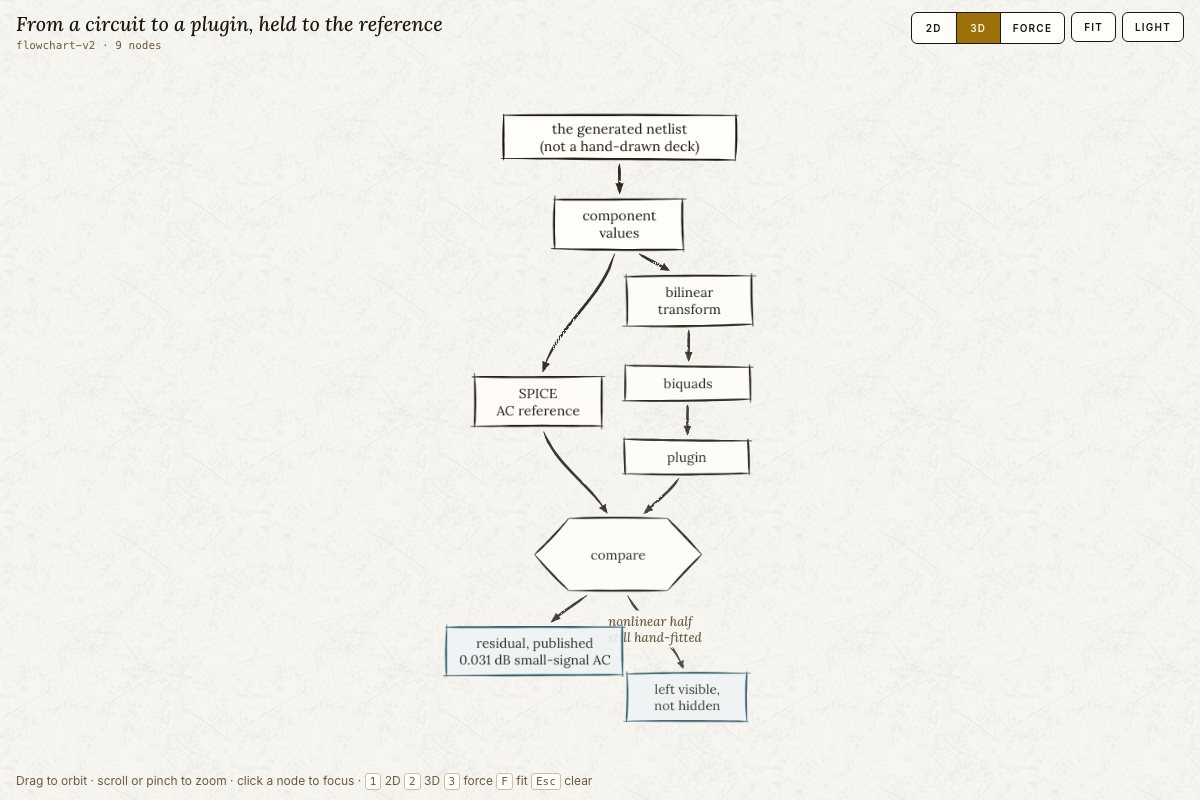
Our sound models, compared against a circuit simulator.
 LiveCaptureInteractive
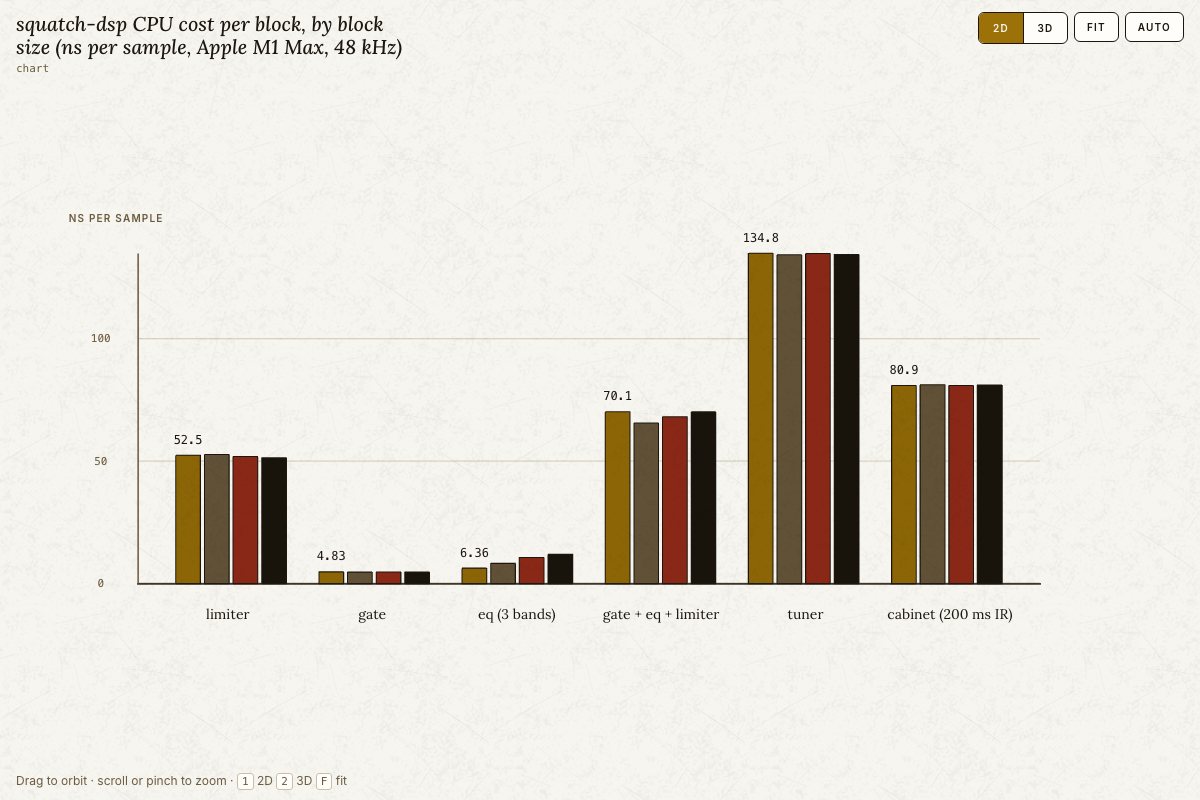
One small library of sound blocks: gate, EQ, limiter, cabinet and tuner.
Get in touch
A person reads every message.
Text us: +1 888-344-3607. You text first; we reply only in that conversation, about your question. No marketing. Msg & data rates may apply. Reply STOP to opt out, HELP for help. SMS program
Our goods: store.squatch.ccThe studio: squatch.cc